
MacBooks are known for their efficiency, cutting-edge performance, and sleek design. However, even the most advanced devices can encounter performance issues over time. Two of the most common problems reported by users are overheating and system freezing. These issues may start as minor inconveniences but can quickly escalate, affecting productivity and causing long-term damage to internal components if ignored. Many users may not immediately associate these symptoms with larger underlying issues, but they often indicate deeper hardware or system-level concerns. Addressing them early is crucial to maintaining your device’s performance, extending its lifespan, and protecting your valuable files. Whether you use your MacBook for professional work, study, or everyday browsing, understanding the warning signs is essential in preventing costly repairs in the future. Resolving such issues through timely macbook repair can help restore the device’s stability and improve overall user experience.
Signs Your MacBook Is Not Functioning Properly
Your MacBook gives you several subtle signs before a serious fault occurs. Recognising these indicators early ensures you can take appropriate action before experiencing a total breakdown or data loss.
Unusual Noise or Fan Activity
One of the earliest indicators of overheating is increased fan noise. When internal temperatures rise beyond safe operating limits, the cooling system works harder to maintain thermal control. If you hear your fan running constantly or louder than usual while performing basic activities, it may indicate blocked vents, dust buildup, or increased CPU load due to hidden processes. Continuous fan noise is a warning sign of stress on the system.
System Lag During Light Use
A healthy MacBook should run smoothly even when multiple tabs or apps are open. If your system starts slowing down during everyday tasks like browsing or typing documents, it suggests that internal components are under thermal pressure. This lag may not be noticeable at first, but over time, the issue can become more frequent and disruptive.
Sudden Freezes While Multitasking
If your MacBook suddenly stops responding while switching between applications or during video calls, it could signal insufficient memory or high CPU temperatures. Frequent freezing is more than a performance issue—it could indicate that your system is struggling to balance its thermal output with internal operations, leading to instability.
What Causes Overheating and Freezing
MacBook systems are designed with intelligent cooling and performance management technologies, but several external and internal factors can interfere with these functions.
Background Processes and System Overload
Applications running in the background often continue consuming resources without your knowledge. These processes can place unnecessary strain on the CPU, causing higher internal temperatures. If not addressed, the constant processing demand can lead to slowdowns or full system freezes.
Outdated Software and Driver Conflicts
Software designed for previous versions of macOS may not perform efficiently on newer systems. Outdated drivers can cause conflicts between hardware and software, increasing system load and resulting in overheating. Regular updates are essential for consistent performance and compatibility.
Ventilation Blockage and Dust Build-up
MacBook cooling vents allow heat to escape from the internal chambers. Placing your MacBook on soft surfaces such as beds or couches can block airflow, while dust accumulation inside the vents prevents effective cooling. Without proper ventilation, heat becomes trapped, causing the system to overheat even during light usage.
Performance Impact on Daily Productivity
Overheating and freezing do not only cause inconvenience—they have a direct impact on your efficiency and ability to perform critical tasks.
Slow App Launch and Crashing Issues
Applications that once opened instantly may now take significantly longer to load. In some cases, they may crash completely. This is usually caused by thermal throttling, a built-in protection mechanism that reduces CPU performance to prevent overheating.
Battery Drain Due to Thermal Stress
High temperatures place additional pressure on the battery, causing it to discharge faster. Over time, this stress can permanently reduce battery health, resulting in decreased battery life and frequent charging.
Reduced Component Lifespan Over Time
Prolonged exposure to high temperatures can degrade internal components such as the motherboard, SSD, and cooling fans. If left unchecked, these issues can result in costly repairs or complete system failure.
How to Diagnose the Problem at Home
Before seeking professional assistance, there are several steps you can take at home to assess your MacBook’s condition and identify the cause of performance issues.
Monitoring Temperature and System Usage
You can check system performance using Activity Monitor. This allows you to identify apps consuming excessive CPU power. There are also safe temperature monitoring tools that help you track your MacBook’s thermal condition in real time.
Resetting System Management Controller
The System Management Controller is responsible for controlling thermal regulation, fan speed, and battery behaviour. Resetting it can often resolve overheating and power-related issues. This process is safe and highly recommended when temperatures spike without obvious cause.
Removing Temporary Files and RAM Load
Over time, your system accumulates temporary files, cached data, and unused applications that consume memory. Removing unnecessary apps and clearing storage can free up internal resources and ease pressure on the CPU, helping reduce heat generation.
When Your Files Are at Risk
Performance issues such as freezing and overheating can eventually compromise the safety of your files. If your MacBook shuts down unexpectedly or applications become unresponsive while saving files, there is a real risk of file corruption. In such situations, users may need urgent data recovery solutions to retrieve lost or inaccessible documents before they are permanently damaged.
Warning Signs of Potential Data Loss
If your files start disappearing, refusing to open, or showing error messages, this may indicate that your internal drive has been compromised due to unstable operating conditions.
Professional Methods to Retrieve Corrupted Files
Specialists use advanced retrieval tools to recover files from failing drives. Attempting to fix file corruption manually increases the risk of overwriting data, making professional intervention essential.
Why Ignoring Freezes Can Lead to Permanent File Damage
Every time your MacBook freezes or shuts down unexpectedly, there is a chance of system-level corruption. The longer the issue is ignored, the higher the chances of irreversible data loss.
Importance of Professional Diagnosis
When system problems persist even after basic troubleshooting, it’s time to consult a macbook expert in adelaide who can provide in-depth analysis and repair. Professionals use diagnostic tools not available to regular users, allowing precise identification of the problem.
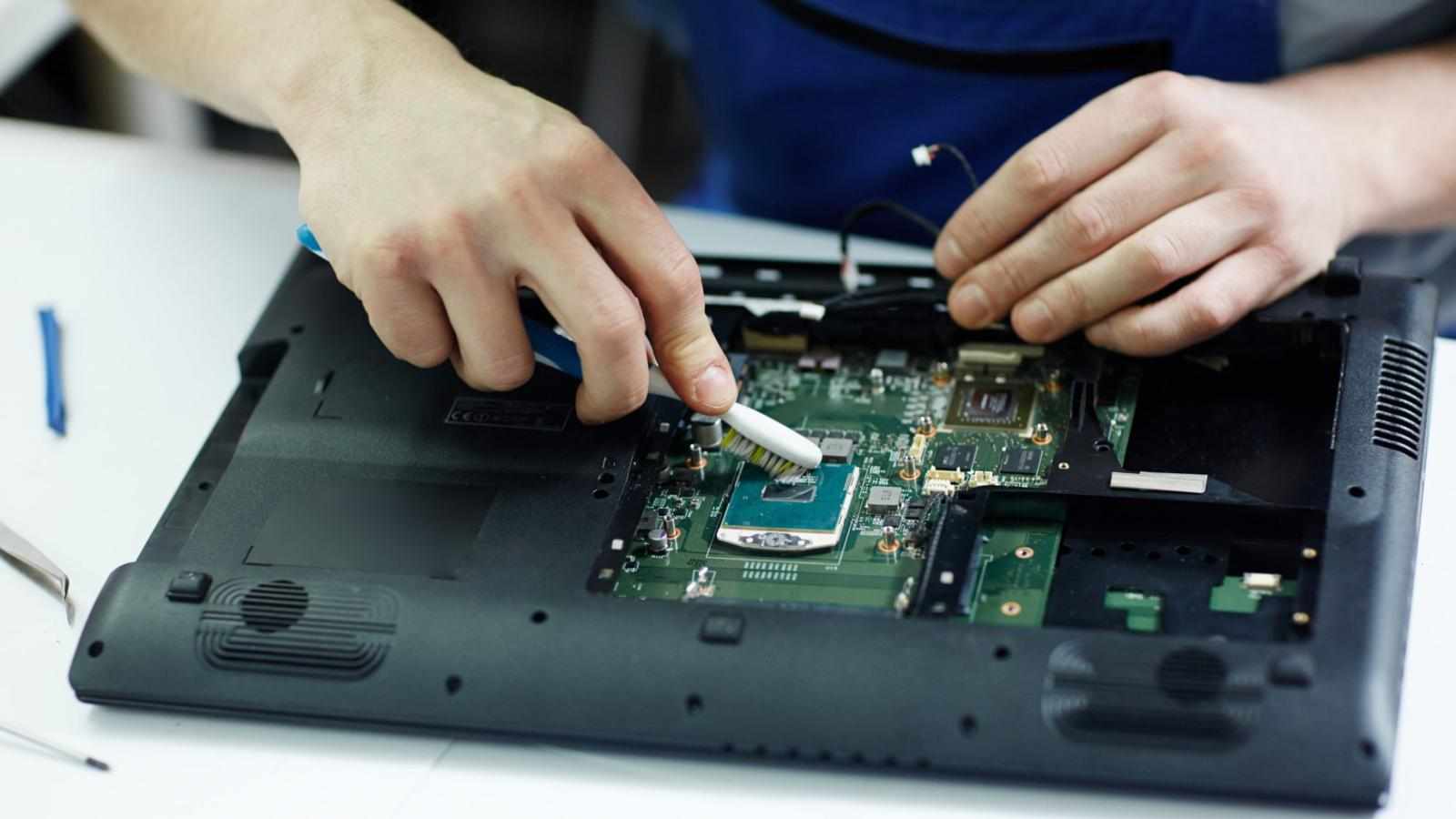
Advanced Thermal Testing and Internal Cleaning
Experts use diagnostic equipment to test internal temperatures, cooling efficiency, and fan performance to determine whether parts need replacement or cleaning.
Component-Level Checks for Long-Term Stability
Internal components are examined for signs of degradation, ensuring your MacBook is operating efficiently and safely.
Benefits of Expert Handling vs DIY Risk
Attempting to disassemble or repair a MacBook without proper tools or training may worsen the condition. Professional handling ensures full safety and restores long-term functionality.
What Customers Are Saying
User satisfaction is a key indicator of a reliable repair service. Many clients are driven by positive reviews that highlight the quality, expertise, and timeliness of the repair experience.
Real Feedback on Repair Turnaround Time
MacBook users often appreciate quick turnaround times that minimise downtime.
Trust and Reliability from Genuine Client Experiences
Customers rely on trustworthy, transparent service providers who deliver results without unnecessary upselling.
Why Reputation Matters When Choosing a Service Provider
A strong reputation reflects genuine expertise, professional conduct, and consistent repair quality.
Long-Term Prevention Tips
Preventive care is the best way to avoid costly repairs and extend your MacBook’s life.
Regular Maintenance and Software Updates
Keeping your system updated enhances efficiency, security, and device longevity by addressing known issues.
Using Cooling Stands and Proper Ventilation
Utilising laptop stands improves airflow, preventing the buildup of hot air at the bottom panel.
Battery Health Monitoring and App Management
Monitoring battery usage and shutting down non-essential apps helps maintain system performance and avoid overheating.
When It’s Time for a Professional Fix
If issues persist despite temporary fixes, you may be at risk of long-term damage.
Signs Temporary Fixes Aren’t Enough
Frequent freezing, unexpected shutdowns, or loud fans are signs that your system needs professional intervention.
Protecting Your Investment with Repairs
MacBook repairs performed early can prevent severe hardware issues that may lead to component failure.
Ensuring Optimal System Performance
Comprehensive system repair restores speed, energy efficiency, and long-term reliability.
FAQs
Q1: Why does my MacBook overheat when running only a few apps?
This happens when hidden background processes consume excessive CPU resources, causing internal temperatures to rise unexpectedly.
Q2: Can freezing damage my files permanently?
Yes, sudden system freezes can corrupt files during active operations, leading to potential data loss if the issue is not resolved in time.
Q3: How do I know if my MacBook needs professional repair?
If fans run continuously, applications crash frequently, or performance declines significantly, it may be time to seek expert assessment.
Q4: Is overheating normal during charging?
Slight temperature increase is normal during charging, but consistent overheating suggests airflow restriction or battery-related stress.
Q5: Should I continue using my MacBook if it freezes often?
Ongoing freezing risks data loss and system failure. Immediate action is recommended to prevent further complications.
Conclusion
MacBook overheating and freezing are not issues to overlook. They often indicate underlying problems that can escalate if left unresolved. Early diagnosis and professional repair can prevent hardware damage, protect your files, and restore your device’s performance. Taking action at the first sign of trouble ensures you can continue using your MacBook with confidence and peace of mind. For reliable, expert assistance, Digimob provides trusted repair services designed to restore optimal functionality and protect your investment.












Write a comment ...